Saturday, May 17, 2014

Easily Labeling and Organizing Classroom Books

My last Bright Ideas post was all about using labels in the classroom with a focus on using the clear, plastic coated labels for labeling your room.  Since they are plastic, they don't leave behind a sticky, papery mess when you remove them from your cupboards and shelves.  Today, I'm sharing how I use labels for organizing my classroom books.


I have a few different versions I use, pictured below, but basically I print out a few sheets of each and have them ready for when my book orders arrive.  I format the labels so that each label can be cut in half to get two book labels from each standard size mailing label.  Hopefully you can see how they are cut in the pictures.


For books going into my class library, the labels are just printed with my name.  I cut down the rows of labels, leaving the top in tact so they don't all fall apart.  When it's time to label a book, I simply remove a square, attach to the cover of the book and then refer to my library topic list.  I write in the category number that corresponds to the book genre.  For example, all of my realistic fiction books are numbered with 11.


For books going into my small group collections for guided reading and literature circles, I have labels that include my name, indication that it is a small group set, and then numbers stating that particular book number and how many are in the set.  I usually get 10 books of a title for my small group sets.  I have anywhere from 6-8 in these groups usually.  That leaves one that I designate as the teacher book for me to record my notes and write in and an extra for just in case.


Finally, I label my class set novels.  These are done in a similar fashion as my small group sets, just labled as a class set.  I like to have 35 for a class set.  My largest class size has been 33, this last year, so 35 gives everyone their own copy, ans extra and a teacher copy.  If, heaven forbid, I should have a class size larger than 34, some would just have to share.

With each book numbered for the small group and class sets of books, I can assign each student a book.  This helps with responsibility placed on the students to respect the books and helps me know who to charge or give a consequence to for damage to books.

I hope this will be helpful to you in organizing your own book collections.  I'd love to hear about how you organize your books or what other ideas this post may have spurred for you in the comments section below.

If you enjoyed this idea, please consider following me on Twitter or Facebook or Bloglovin' to keep updated on the latest from Dilly Dabbles.


Be sure to check out the many other "Bright Ideas" from other participating bloggers by clicking on the linky images below:


 photo Signature_edited-3_zps050aaea1.png

Tuesday, May 13, 2014

Booking Across the USA: Utah!


Booking Across the USA Trip 2 created by growingbookbybook.com

Welcome to Utah!

Utah is known as the "Beehive State" because the early settlers of my state worked tirelessly to build and farm so they would be able to survive in the desert mountain valley.  The settlers likened themselves to bees who work together for the greater good of the hive colony and are known for their perseverance and hard work. I was inspired for my beehive craft project by a blog post done by:

Apples & ABC's

The post about her bee themed craftivity can be found here. Here's the beehive I created: 


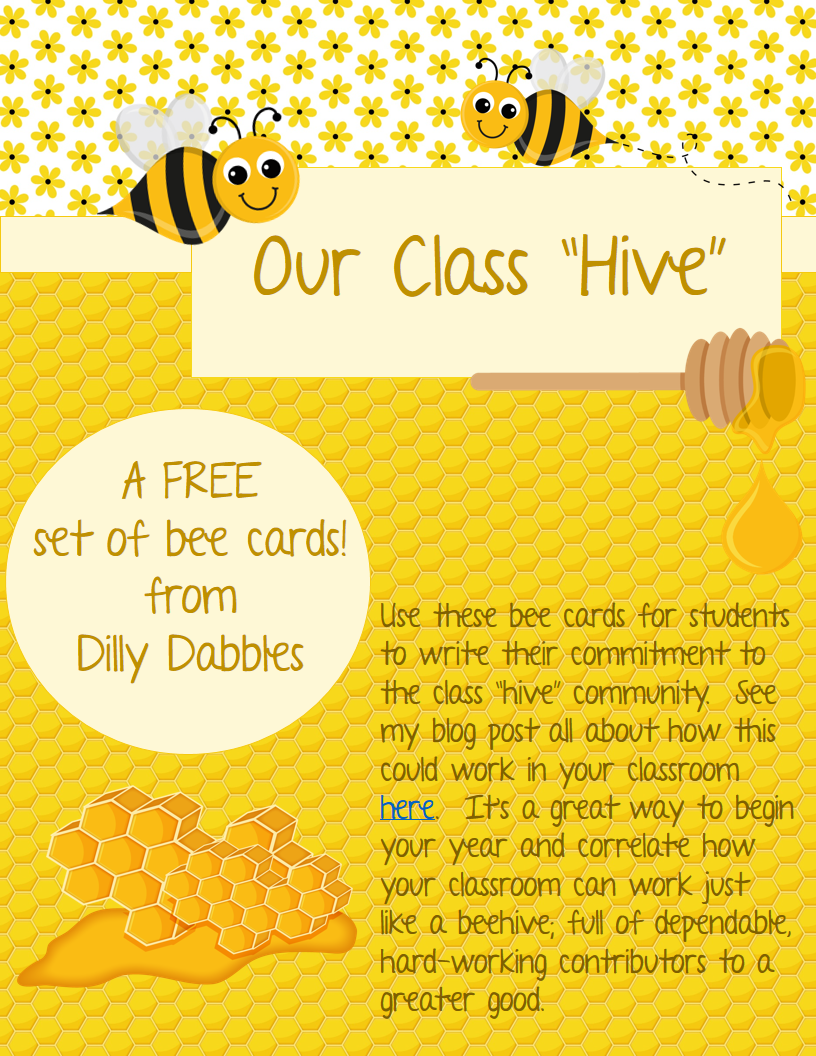
My thought was to add bees around the beehive and have each student write a way they can contribute to the class "hive" and post the bees around the hive.  I think this would be a great activity for the beginning of the school year in your discussions of class community.  At home, post ways children can contribute to the household.  I created some bee themed cards that would work perfectly for your students to write down their contribution commitments to add around a hive bulletin board.  You can grab your free copy of the cards here.


My own children brainstormed some ideas with me and here's a sampling of what you might do.  Sorry it's laid out on my counter. 


I'm so excited to be part of the Booking Across the USA blog event!  My fifth grade Social Studies Curriculum is all about the history and geography of the United States, so this project has been super fun and I'm looking forward to all the ideas from each blogger about his/her state.  Thanks so much to Blue Apple Books for providing books from the Travels with Charlie series to inspire and inform our posts.  I received Travels with Charlie: Way Out West and LOVE it!  I plan to purchase all the books in the set to have available in my classroom library.  You could just get the one that pertains to your state, or like me, want all 4.  In addition to Way Out West, there is Travels with Charlie: Across the Midwest , Travels with Charlie: Travelin' the Northeast and Travels with Charlie: Down South .  Each state has it's own page and some great information and facts about the state.  The state map on the opposing page is colorful and highlights the attractions mentioned in the book along with a few additional pieces of information. Each map also contains a hidden picture of Charlie so students can do a little hunting to find him on each map.


Be sure to visit the Booking Across the USA homepage to be directed to the information and ideas from bloggers in the other 49 states. Thanks to Jodie from Growing Book By Book for organizing this event!


Thanks to Blue Apple Books, you have an opportunity to win a set of all 4 books! Here are the guidelines and entry form:

GIVEAWAY GUIDELINES To enter the giveaway you will need to complete the Rafflecopter section below.  That’s it!  You have from 5/14/14 at 12:00a.m. (EST) until 5/20/14 at 11:59p.m. (EST) to enter.  One entrant (must be 18 years or older) will be randomly drawn and sent an email (make sure to check your junk folder) on or about 5/21/14.  The winner has 48 hours to respond with a mailing address (US only).  If the information is not sent by the deadline, another entrant will be selected.  Good luck!

a Rafflecopter giveaway


 photo Signature_edited-3_zps050aaea1.png

Sunday, May 11, 2014

Review Ordering and Operations with Decimals


We've been reviewing everything over the last few weeks.  We started testing writing in February, and it seems like we've been testing ever since.  That's made for a very long end of year...

I can't take credit for this idea, it comes from my teammate.  This is how it happened in my classroom though.   It's a super idea and my students were engaged and loved it.  To review decimal numbers, she made a tented cards with a decimal number on each; one for every student.  I strung a piece of yarn across the front of the room from a 3M command hook I have on the side of a shelf to the cart my document camera is on.  Here's how the lesson played out:


  1. I handed out a card to each student.  This worked really well as I could easily differentiate for each child as I passed them out.  I passed them out randomly to mix them up and as I did so, I could give more difficult numbers to students who better understand decimals and I gave the whole numbers to my students very below grade level in mathematics.  
  2. I called a table at a time to bring their cards to the front of the room and place the tent over the string in the general area they thought the card should go.  
  3. Only the table whose turn it was could adjust the tents.  That was very difficult for my high students who wanted to jump in and fix everything. 


  4. After every student had placed his/her card, I asked the students to examine the number line carefully and see if anything needed to be fixed.  We had 3 mistakes and they became very good discussion pieces to clarify misconceptions that a few students had.  
  5. Once our number line was in order, we did some decimal operations with the cards.  I would choose two cards and post them on the white board with magnets and write in an operation between the numbers.  Students then figured out the solution.  Students solved on their whiteboards (or desks as I let them write with Expo markers on their desks) or in their math notebooks.  I just wanted to see the work, wherever it was done.  I was surprised how engaged the students stayed with the challenge of just solving each problem.  I didn't have to incorporate any kind of competitive incentive at all.  After giving time for students to solve each problem, we did it together on the board.  Mostly I just quickly demonstrated the solution, but I had a few students show their solution as well.  We also had some good discussions during this time about where decimals should go moving decimals in division, etc. 
This was a great review of decimals with my students.  In incorporated so much, allowed us to discuss understanding and got the students moving.  

This idea of tented cards on a yarn string could certainly be adapted to many topics.  I'd love to hear what your ideas are on using this idea.  Please share in the comments section below this post.


Thanks to Meg of The Teacher Studio for hosting this linky!


Click the button above, or here, to see all the other great lessons that are linked up. 


 photo Signature_edited-3_zps050aaea1.png

Tuesday, April 15, 2014

Classroom Jobs

Every student in my class has a classroom job each week.  I really like that because I really try to emphasize the idea of community in my classroom and when we are all part of a community, we all have responsibilities.  I used these cute chalkboard pocket images from Michelle of the3amteacher.  I imported the images into a document and then overlaid them with the text for each job.  After printing and laminating, I used a bead of hot glue around three edges to secure them to this nice large cupboard front that I have in my classroom.  Now they function as pockets.

Each student in my class is assigned a number.  I print several label pages with just student numbers on them to use throughout the year.  (See my recent post on using labels in the classroom here.) I attached a numbered labels to the top of index cards and wrote in the student names.  The cards fit perfectly in the pockets to designate what job each student is assigned to.

I try to switch the jobs weekly, but let's be honest, it often is 2-3 weeks before they get switched.  I give more time so students get to know their jobs.  It would also be a super extra hassle to try to change jobs daily.  I just rotate them in order.  I do have to do some fudging for the jobs like "girls bathroom pass" and "boys bathroom pass".


You can grab a list of the jobs I use here. 

How do you manage student jobs in your classroom? We'd love to hear about it in the comments below. 


 photo Signature_edited-3_zps050aaea1.png

Sunday, April 13, 2014

Google Drive and Docs: Sharing Folders

I have LOVED learning more about Google Education and all that is offered through the Google family of tools.  This has been especially applicable as my district decided to use the Google email and apps for education about two or three years ago; I'm just now realizing the power of that.

For the last two weeks, I've been learning about Google Drive and Docs.  I thought I already knew a lot, but I'm amazed at the new information I have learned.  Even though much of it seemed like little bits here and there, those little bits will make a big difference in how I am able to use Drive and Docs.  In addition, I attended the UCET conference last weekend and many of the sessions I attended were about Google Drive and Docs.

So as not to overwhelm, I'll share just a couple of the great tips that were new to me and will be so helpful.  They are all focused on using folders in Google Drive.  I hope that they will be helpful to you as well.  I'll continue to post about the new things I learned at the tech conference and Google bit by bit as I try them out myself.  If you'd like to take yourself through the course Google has set up for educators, you can begin the Drive and Docs course by clicking here. On the sidebar, you can choose to go on to the level 2 course or any of the other Google courses for Educators.

Tip 1: Have students create a folder at the beginning of the year in their Google Drive and share the folder with you.  Be sure they name the folder with their name.  If you teach multiple subjects or groups of students, be sure they add that identifying information as well.  Then, anything the students places in that folder will be automatically shared with you!  You get one email from each student notifying you of the share and from then on, they just put everything that you need to see in that folder.  When the presenter at the UCET conference told us this tip, my reaction was "of course! ...why didn't I think of that before??"  The presenter then keeps a list on his desk for students to sign up for a conference.  They list their name and the title of the piece they need a teacher edit or conference with.  He then can go to that student's folder, find the piece and edit it at any time.  Do I hear the angel chorus?? That means no more line at your desk or loss of papers to review and edit.  You can edit the papers right on the document using comments and students can move on to another piece or work on a piece that has been peer or teacher edited.  Students can share specific pieces with one another for peer editing.  The possibilities are endless.  You can also check up on students in their folder to see what they have done or are working on.

Here's some quick directions on creating and sharing a folder.  Feel free to pin!


Tip 2: Since they are web based, students can access their work anywhere.  I know some districts have student drives, only accessible to students at school when they are logged into a school controlled computer.  Teachers have access to these, but neither students nor teachers can access them unless at school.  Google Drive and Docs can be accessed from anywhere with internet.  Additionally, if students don't have access to internet at home.  They might take a school laptop or ipad home with them (if that is allowed for your students) and can enable working on the document "offline". Then, when the student returns to school, they simply turn back on online access and sync their work.

Tip 3: House your documents on drive and give access to your students.  No more additional copies needed, and in many cases, no copies at all.  Share a folder with your students titled with their class name such as "Mrs. Green's 5th Grade 2013-2014"  Just like the folders students shared with you, anything you put in that folder will be shared with students.  House your beginning of year disclosure document there and any other notes and items students might need access to.  Rubrics and project instructions could be there as well.  If it's a note from the school or elsewhere that you don't have a digital copy of, take a picture or a quick scan and upload it to that shared file.  Student's no longer have the excuse of losing it.  You may also want to make that file available for anyone with the link and share the link with your parents via a group email or parent website.  Just know that anyone else who stumbles upon your website and that link would have access to the folder to view it's contents.  Also, make sure your files are only viewable by others, not editable.  I'm sure you don't want students and parents messing with your documents.  They'll still be able to view and print what they need to without having the capability to edit those documents.


Thanks to Jen from Tech with Jen for leading this series!


See the link up below for other great posts about Goole Drive.

 photo Signature_edited-3_zps050aaea1.png


Saturday, April 12, 2014

Use Clear Labels and Forget the Residue!

Have you ever used address labels around your classroom?  Perhaps you label the front of your cupboards or student cubbies or hooks with labels.  I love labels.  I use the standard address labels to print word problems on to save paper and avoid the time consumption of gluing small papers into notebooks.  I also love to use them around my room, especially for labeling cupboards and coat cubbies.  I've also used them on the front of laminated cards.  The trick I have learned though is the wonder of the clear labels! I still use the standard paper labels for going in student notebooks, but I use clear labels around my room now.  The clear labels are plastic with adhesive on the back, so when you peel them away, they come away clean.  No more scraping paper sticky residue off of your cupboards!  They are also great for overlay on laminated cards.  I like to use them on my numbered hooks for hallway work display.  Any design you wanted to show through would and they just leave a more clean, nice look.  So, get a set of clear labels to have on hand, especially for the summer as you prepare for a new school year next fall.


Thanks to Shelly Gray of Teaching in the Early Years for hosting and organizing this event. 

If you enjoyed this idea, please consider following me on Twitter or Facebook or Bloglovin' to keep updated on the latest from Dilly Dabbles.

I'd love your comments about how you use labels in your classroom. 

Check out all of the other Bright Ideas, 149 others, by clicking on the links under my signature:
 photo Signature_edited-3_zps050aaea1.png


Monday, April 7, 2014

Educents Celebration


Have you heard of Educents.com? It's the first group deal website for Educators where you can save up to 90% on curriculum, educational toys, and other learning products. They are turning 1 year old on April 2, 2014 and to celebrate, they are giving an additional 20% off, site wide until April 7, 2014! Just use code "Anniversary20." In addition, they are SO EXCITED to kick off an AMAZING month of fun activities to celebrate. They will have 30 giveaways (one per day) in the month of April! And, their grand prize winner will receive a family vacation in Florida (thanks to Wyndham Vacation Rentals) & with a runner-up prize of a $1,000 Educents Gift Card!
Just a few of the companies that will be giving products away in April: Math Mammoth, SayPlease, Systematic Mathematics, DNA Educational Games, Red Apple Reading, Critical Thinking Co., Times Tales, Seat Sack, The Latin Road, Intelli-Tunes, Simply Fun, Institute for Excellence in Writing, Luv Chicken, Center for Hands-On Learning, Classical Academic Press, Your Story Hour, Wordsmiths, American High School, Middlebury Interactive Languages, My Year Look, The Latin Road, Intelli-Tunes, The learning Journey International & MORE!
The mission of Educents is to provide affordable education to all. In just 1 year, Educents has saved educators over $5 million dollars and over 150,000 products have made it into homes and classrooms all around the world.
So, what are you waiting for? Go save an additional 20% and enter to win tons of giveaways
. For every giveaway you enter, you get an entry for the two grand prizes!
www.Educents.com -- The Best Place for Educational Products at a discount!


 photo Signature_edited-3_zps050aaea1.png

LinkWithin

Related Posts Plugin for WordPress, Blogger...